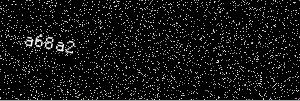
At the bottom of the page is a sample image generated with this code. Note: the imageconvolution function can be used to blur the text in the image. It is not used in this example as it makes the text difficult to read.
<?php

//The image convolution function is available only with bundled gd support. (I believe this is default with PHP 5.3 which will be included in Ubuntu 10.04. Until then, I believe the options are to either recompile PHP, find a PHP 5.3 package, or define it as PHP code which is much slower, but is done below.)
if(!function_exists('imageconvolution')){
  function imageconvolution($src, $filter, $filter_div, $offset){
    if ($src==NULL) {
        return 0;
    }

    $sx = imagesx($src);
    $sy = imagesy($src);
    $srcback = ImageCreateTrueColor ($sx, $sy);
    ImageCopy($srcback, $src,0,0,0,0,$sx,$sy);

    if($srcback==NULL){
        return 0;
    }

    $pxl = array(1,1);
    for ($y=0; $y<$sy; ++$y){
        for($x=0; $x<$sx; ++$x){
            $new_r = $new_g = $new_b = 0;
            $alpha = imagecolorat($srcback, $pxl[0], $pxl[1]);
            $new_a = $alpha >> 24;

            for ($j=0; $j<3; ++$j) {
                $yv = min(max($y - 1 + $j, 0), $sy - 1);
                for ($i=0; $i<3; ++$i) {
                        $pxl = array(min(max($x - 1 + $i, 0), $sx - 1), $yv);
                    $rgb = imagecolorat($srcback, $pxl[0], $pxl[1]);
                    $new_r += (($rgb >> 16) & 0xFF) * $filter[$j][$i];
                    $new_g += (($rgb >> 8) & 0xFF) * $filter[$j][$i];
                    $new_b += ($rgb & 0xFF) * $filter[$j][$i];
                }
            }

            $new_r = ($new_r/$filter_div)+$offset;
            $new_g = ($new_g/$filter_div)+$offset;
            $new_b = ($new_b/$filter_div)+$offset;

            $new_r = ($new_r > 255)? 255 : (($new_r < 0)? 0:$new_r);
            $new_g = ($new_g > 255)? 255 : (($new_g < 0)? 0:$new_g);
            $new_b = ($new_b > 255)? 255 : (($new_b < 0)? 0:$new_b);

            $new_pxl = ImageColorAllocateAlpha($src, (int)$new_r, (int)$new_g, (int)$new_b, $new_a);
            if ($new_pxl == -1) {
                $new_pxl = ImageColorClosestAlpha($src, (int)$new_r, (int)$new_g, (int)$new_b, $new_a);
            }
            if (($y >= 0) && ($y < $sy)) {
                imagesetpixel($src, $x, $y, $new_pxl);
            }
        }
    }
    imagedestroy($srcback);
    return 1;
  }
}

function gen_color($image, $global = 0, $local = 0, $base = array(255,255,255)) {
  $global_offset = rand(-($local+$global),-$local);
  $color = imagecolorallocate($image, $base[0]+$global_offset+rand(0,$local), $base[1]+$global_offset+rand(0,$local), $base[2]+$global_offset+rand(0,$local));

  return $color;
}

  $gaussian = array(array(1.0, 2.0, 1.0), array(2.0, 4.0, 2.0), array(1.0, 2.0, 1.0));
  $gaussian_sum = 16;
  $width = 300;
  $height = 100;
  $min_len = 4;
  $max_len = 6;

  //Create image
  $image = imagecreatetruecolor($width, $height);

  //Random character section of a hash of a random string
  $str_len = rand($min_len, $max_len);
  $security_code = strtolower(substr(md5(rand()), rand(0,32-$max_len), $str_len));
  // 32 = length of md5

  $color = imagecolorallocate($image, 255, 255, 255);
  imagefttext($image, 18, rand(-90,90), 10+rand(0,20), 40+rand(0,10), $color, './ProggyClean.ttf', $security_code);

  //imageconvolution($image, $gaussian, $gaussian_sum, 0);

  for ($j=0; $j<($width*$height/10); $j++) { //10% noise
    $color = gen_color($image, 128, 32);
    imagesetpixel($image, rand(0,$width), rand(0,$height), $color);
  }

  //Tell the browser what kind of file is come in
  header("Content-Type: image/jpeg");

  //Output the newly created image in jpeg format
  imagejpeg($image);

  //Free up resources
  imagedestroy($image);

?>